Scratchd app icon

Scratchd

Write it down before you decide where it goes.

Scratchd is a notes app for Mac, iPhone, iPad and Apple Watch. Everything it keeps is a file in a folder you choose. There is no account, and nothing is tracked.

Coming soon. $4.99 for Mac, $4.99 for iPhone, iPad and Watch. Bought once, no subscription.

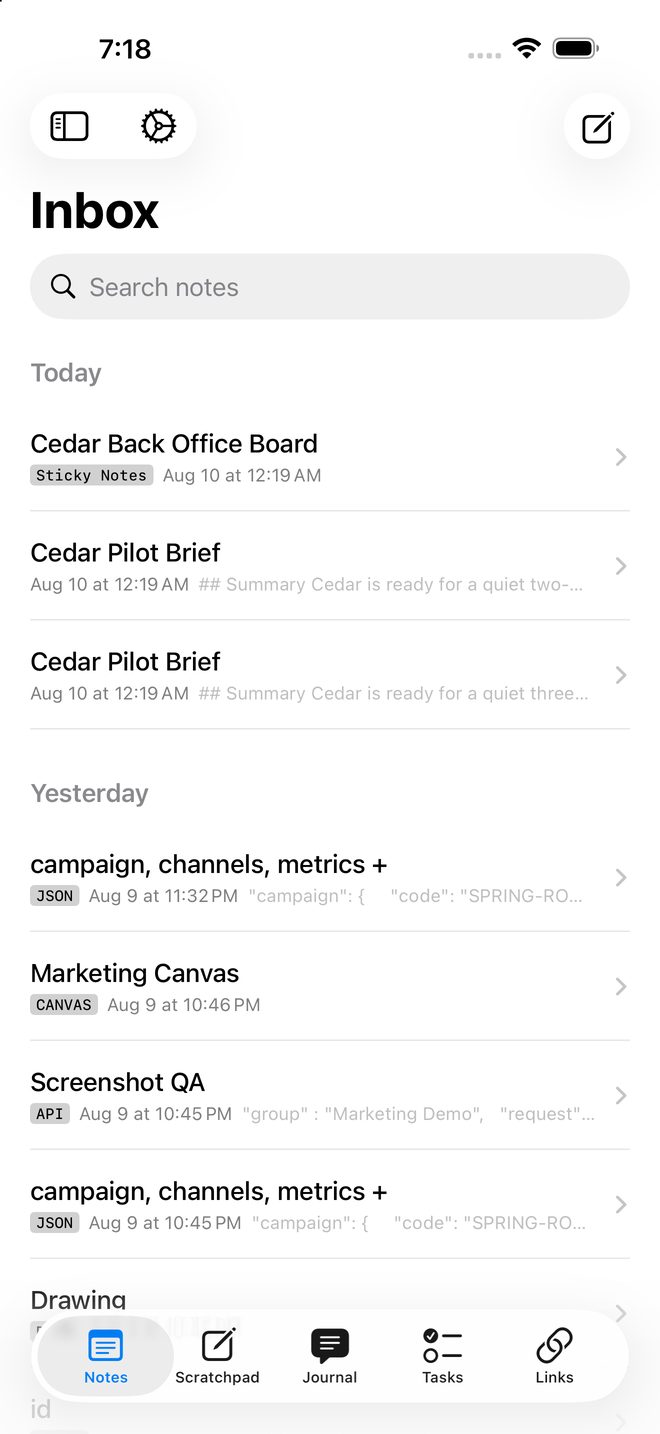
Inbox with mixed note types
One inbox. Filing is optional.
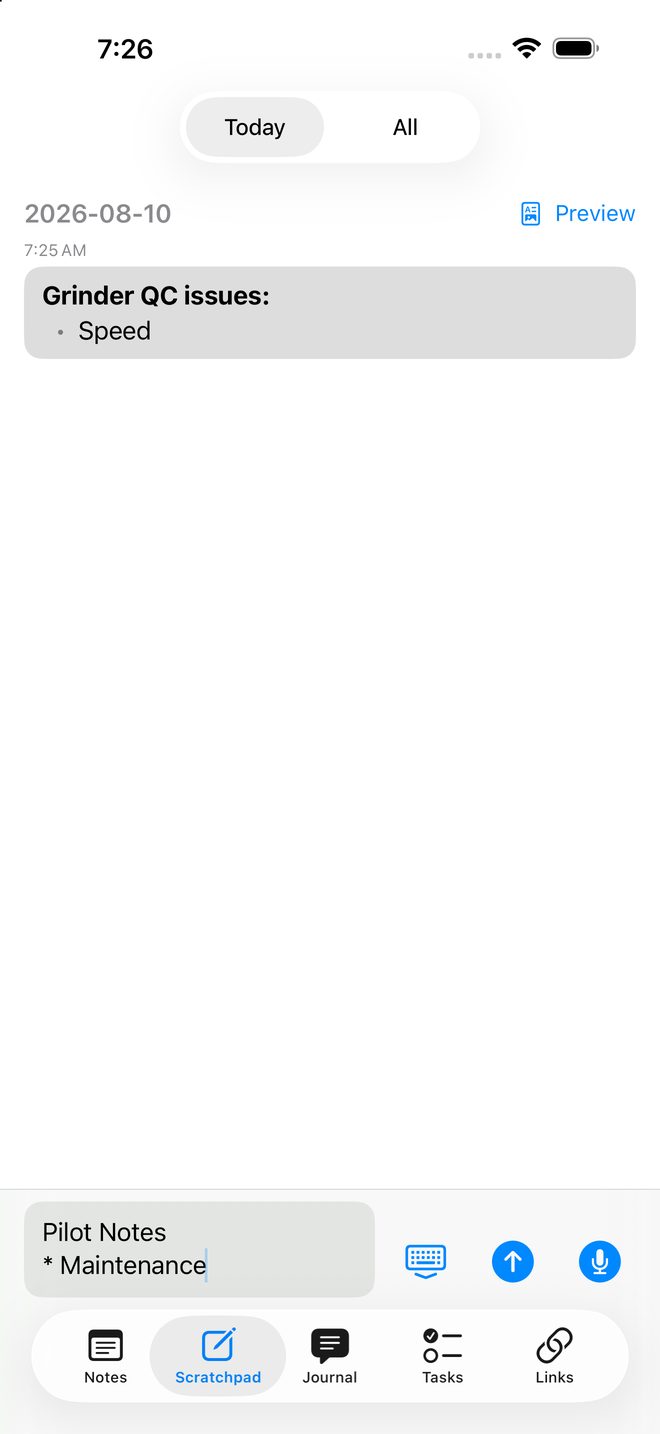
Scratchpad with the jot field open
Type first. Decide later.
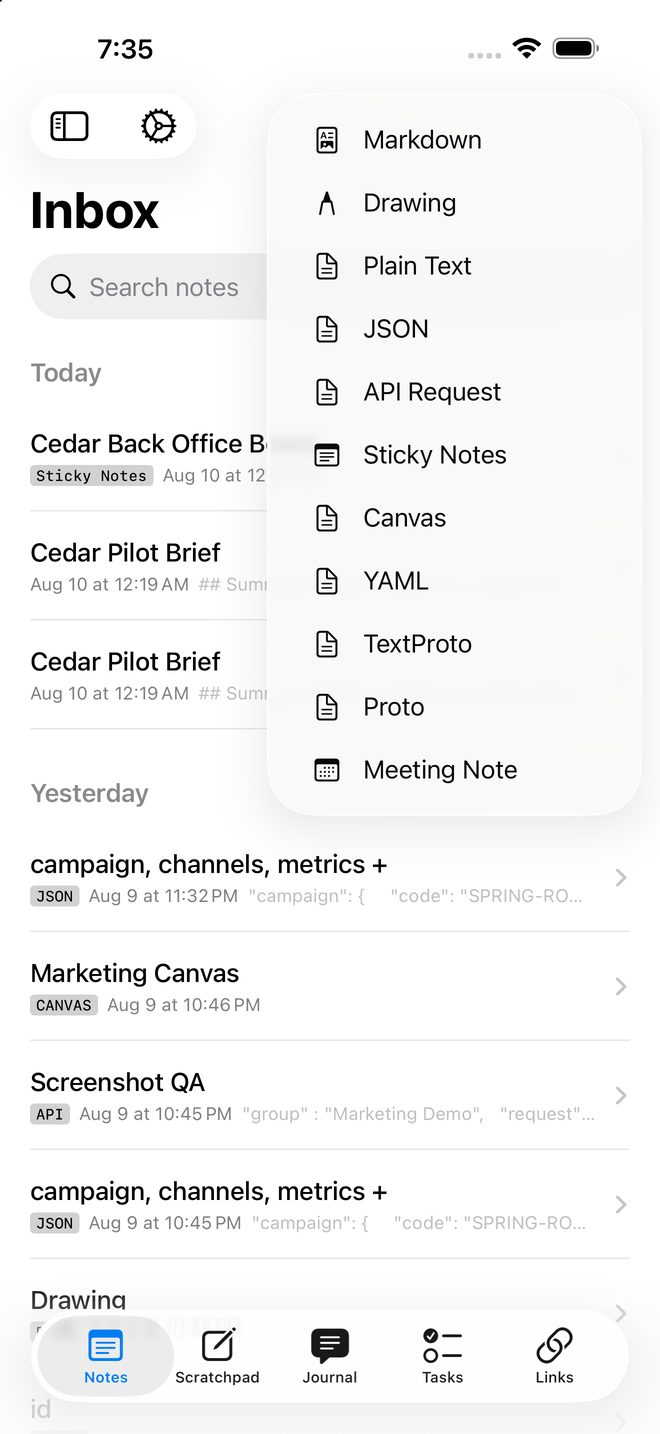
The new‑note menu listing every note type
Text unless you say otherwise.
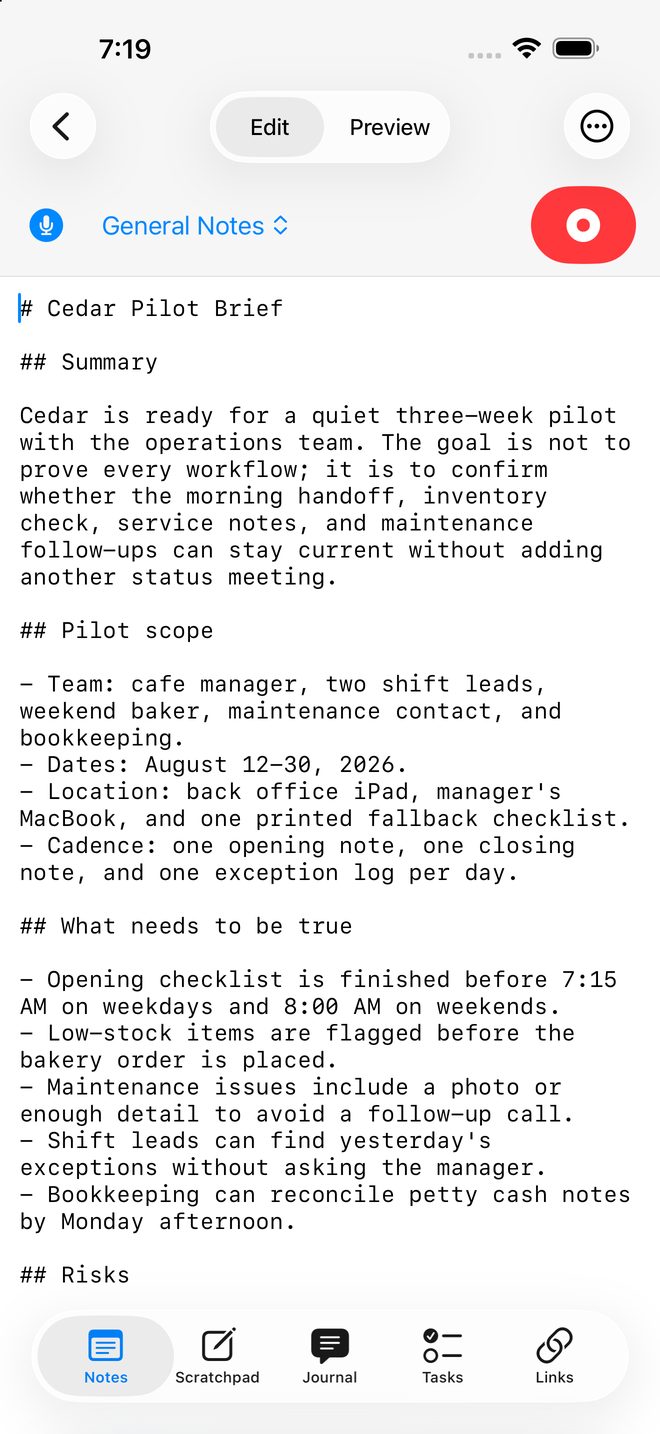
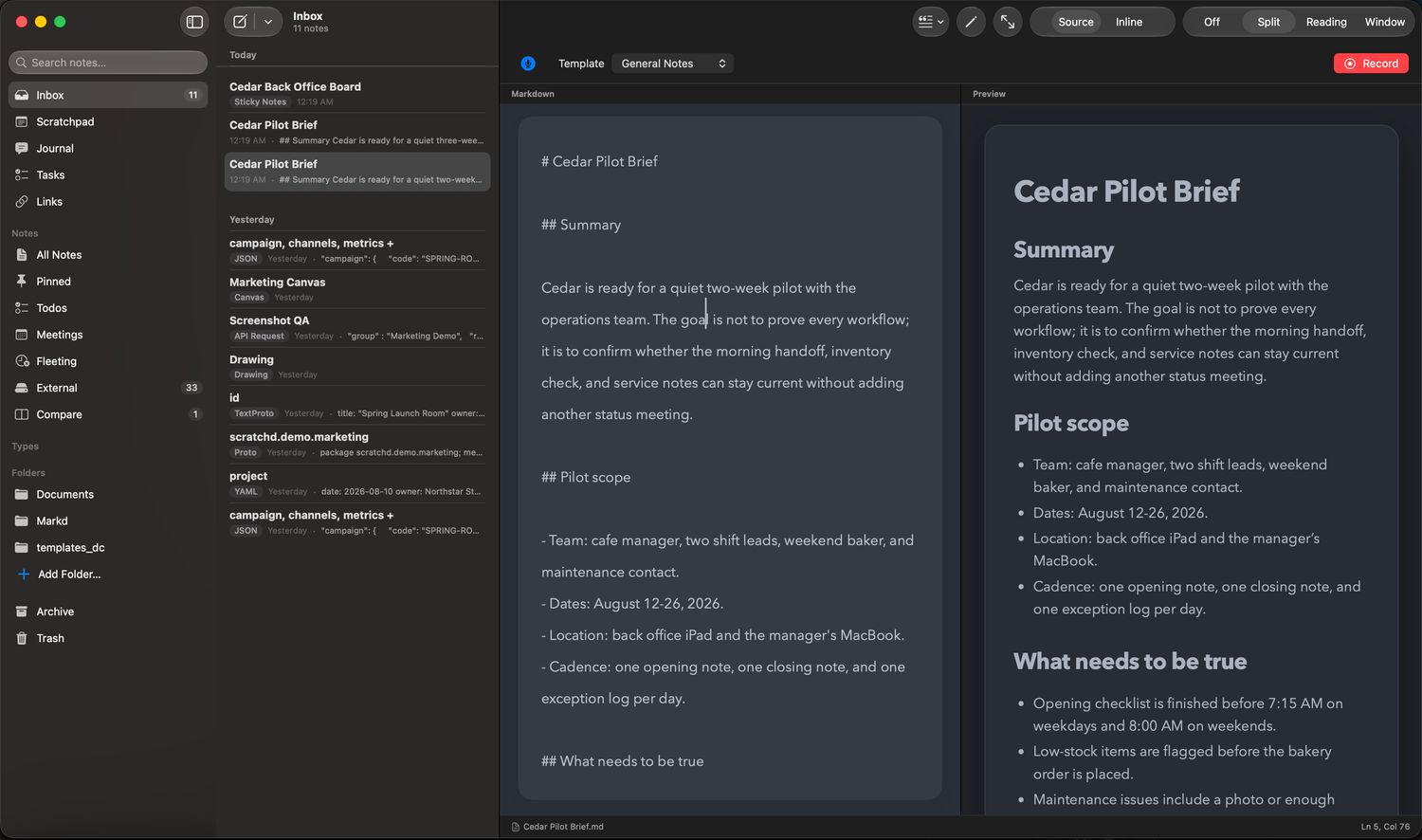
Markdown note being edited
Write. It’s already saved.
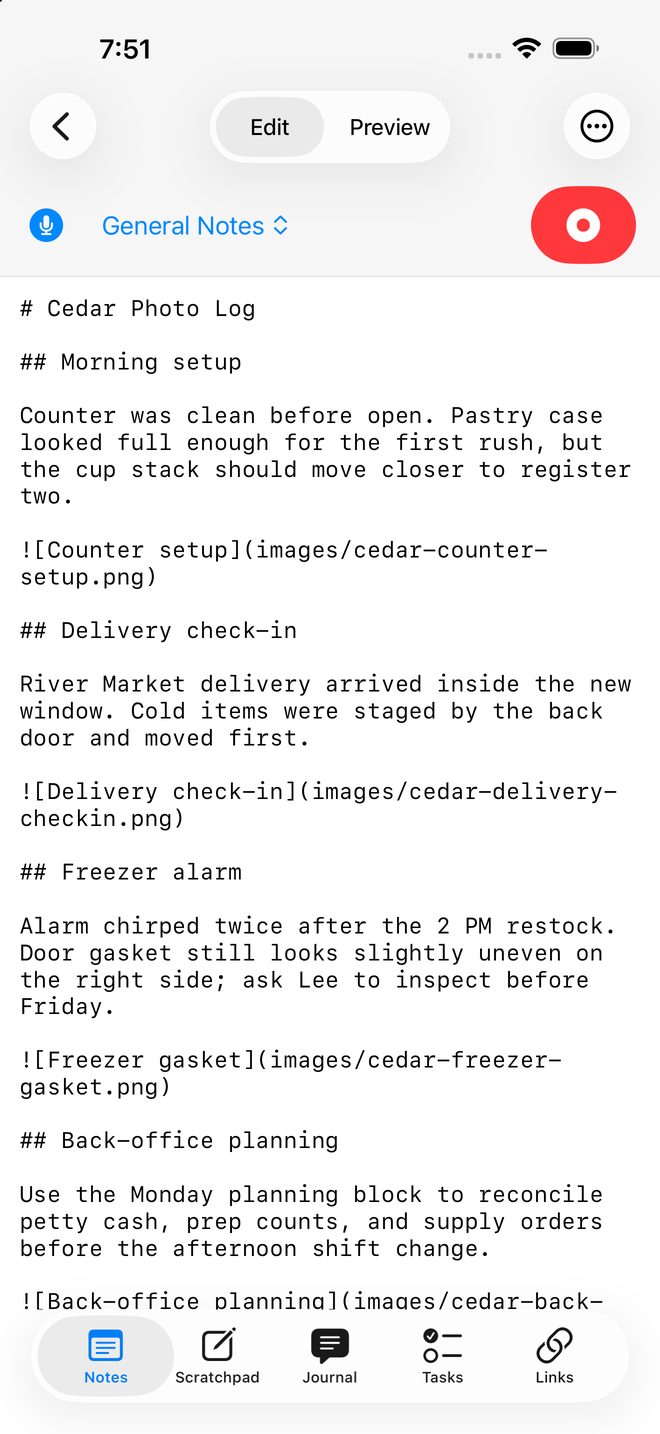
Markdown source showing photos linked from an images folder
A photo is a link to a file.
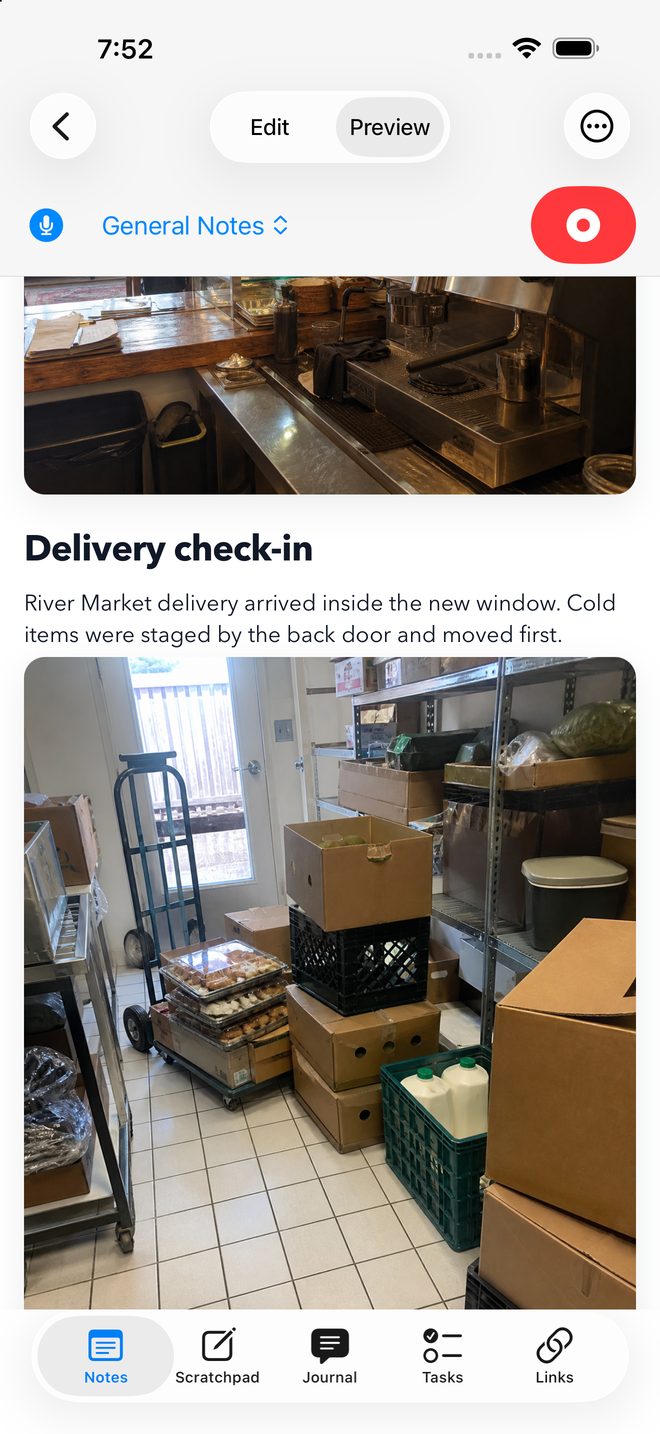
The same note in preview, with the photos drawn inline
Preview draws it in place.
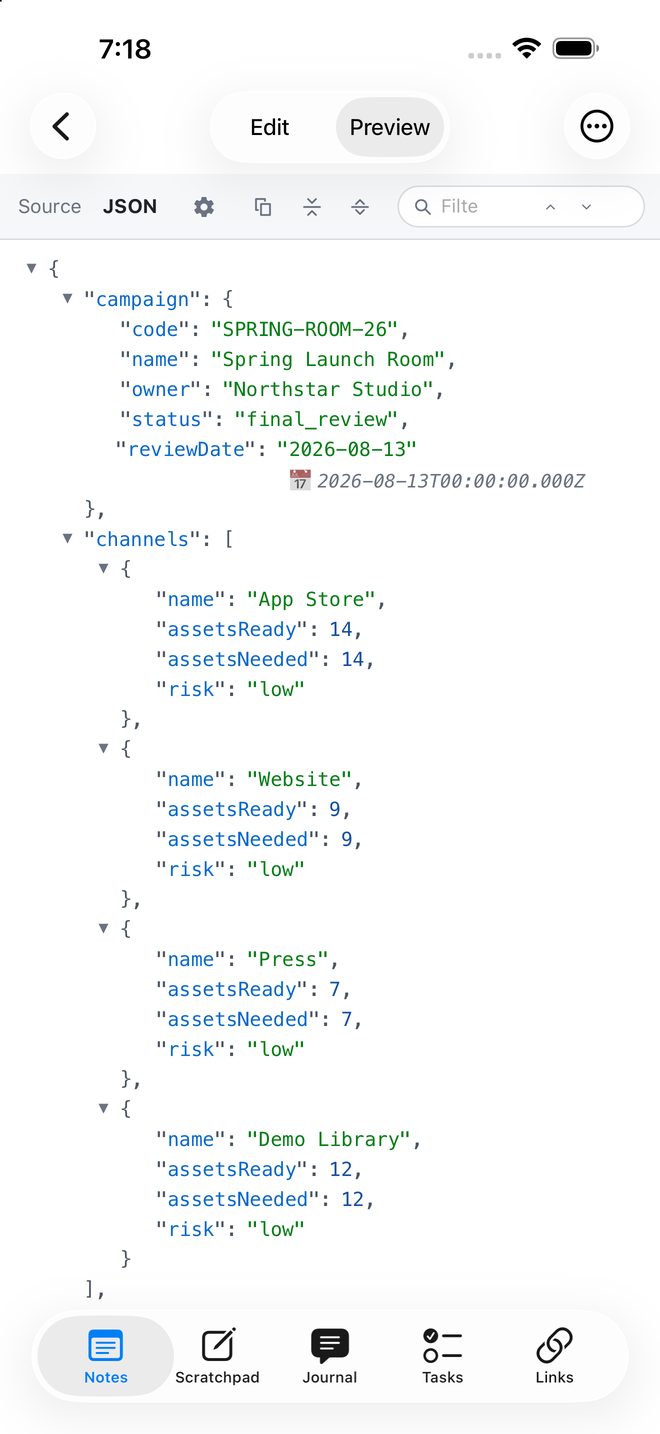
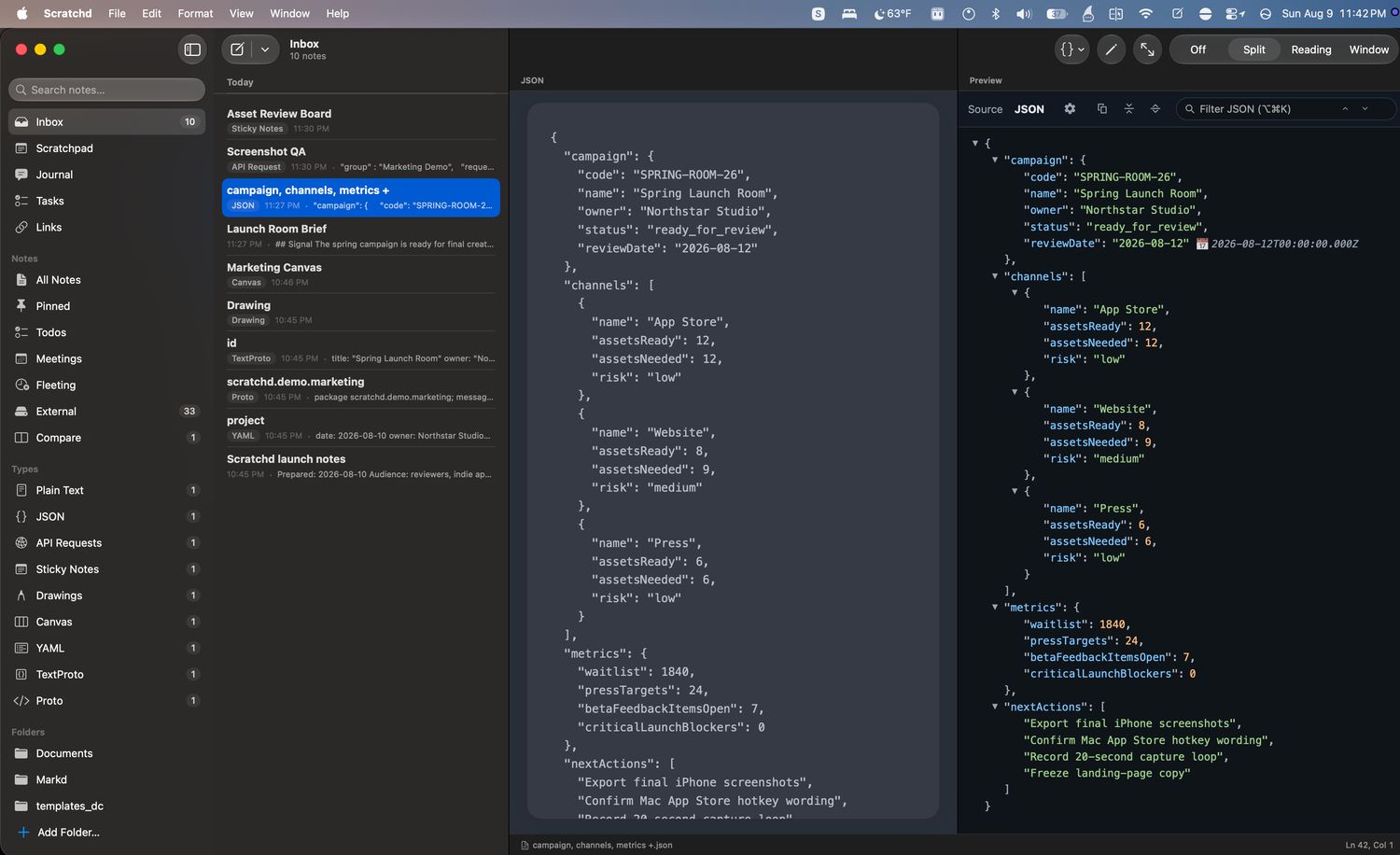
JSON rendered as a browsable tree
JSON that reads like JSON.
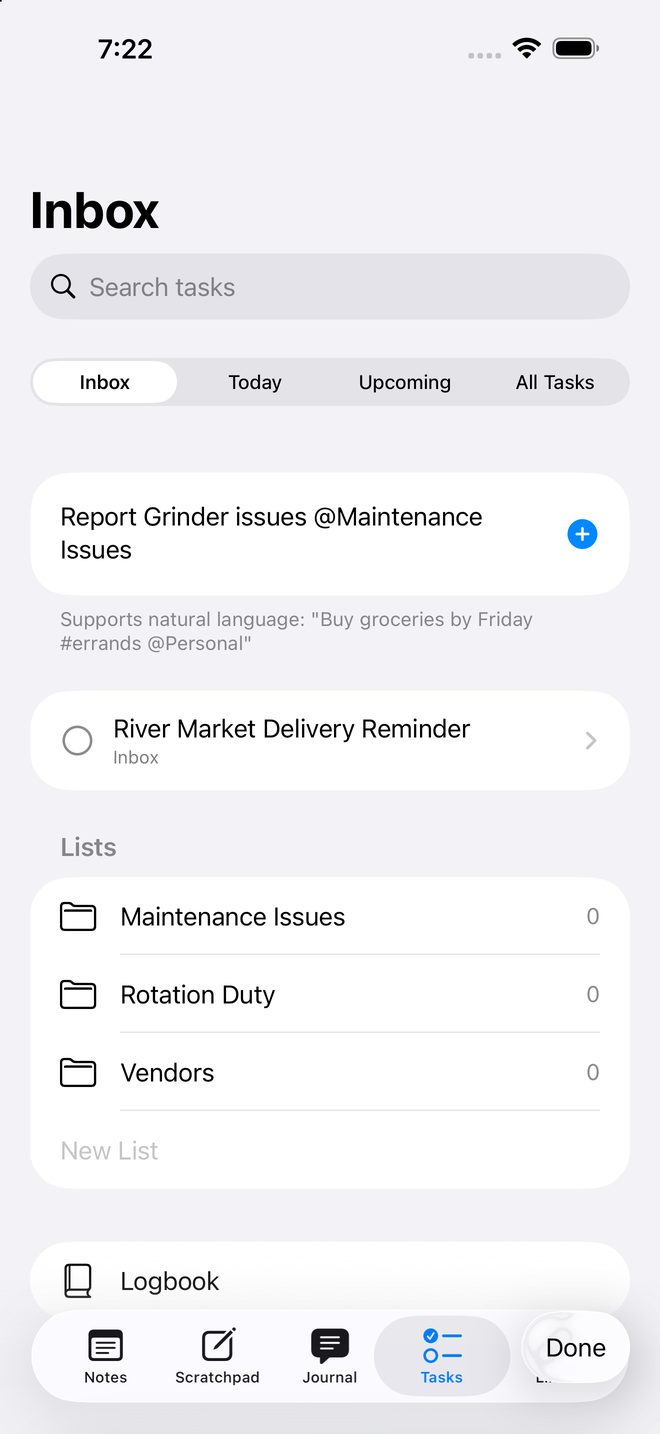
Tasks, natural‑language entry
Plain English becomes a task.
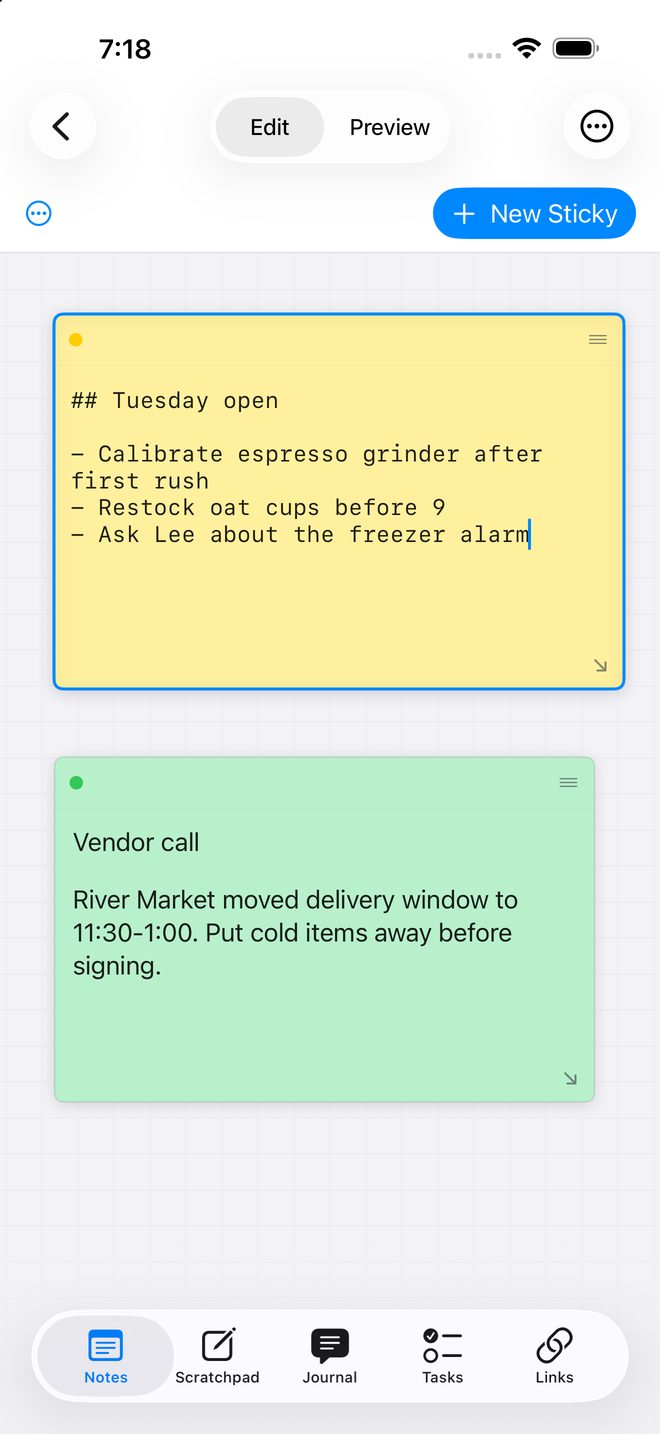
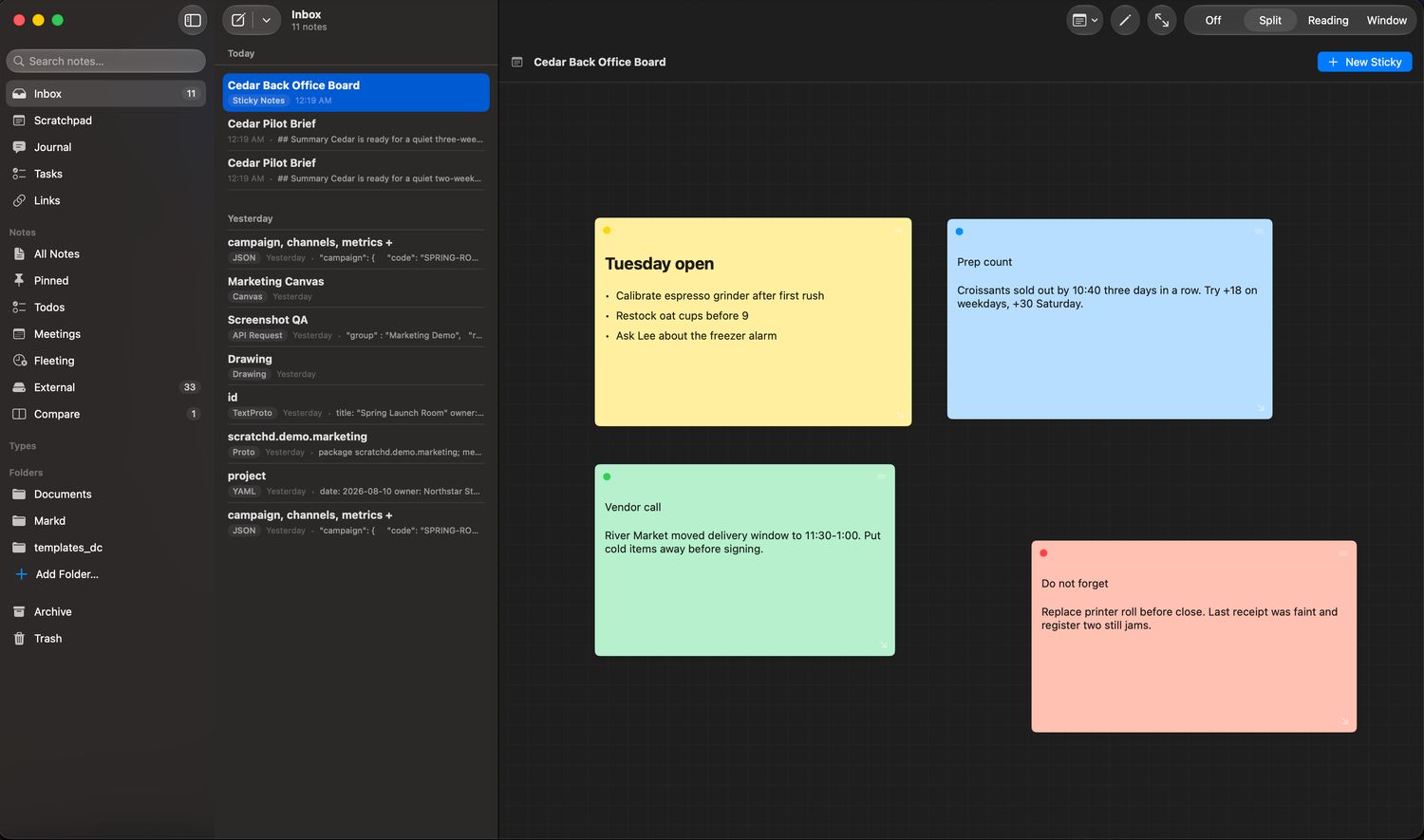
Sticky note board
Room for the messy stage.
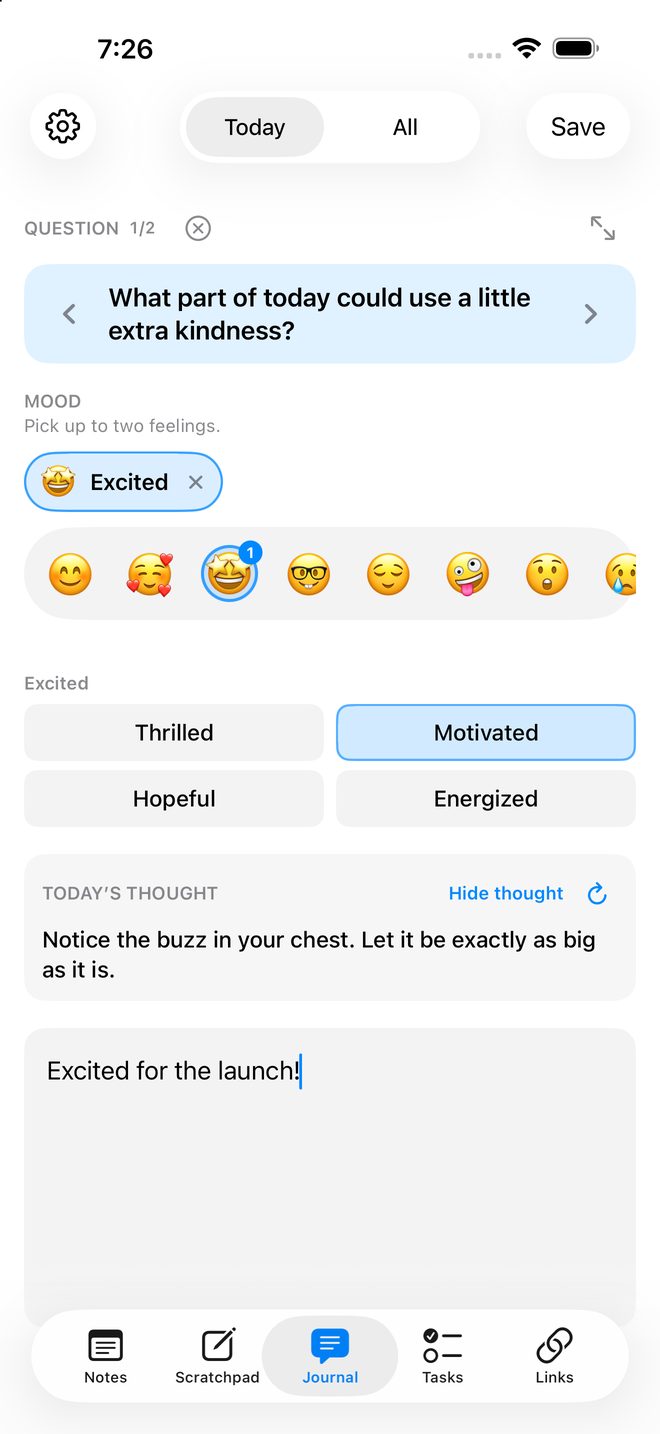
Journal prompt with the mood picker
A journal that doesn’t nag.

Capture

One inbox. Filing is optional.

Everything new goes to the same inbox. You can archive it, pin it, tag it or turn it into a task whenever you feel like it. You do not have to set up folders before you start writing, and Scratchd never prompts you to organise anything.

Today’s scratchpad is already created and already dated. It is meant for the notes that are not worth naming a file for.

Ownership

Your notes are files in a folder you chose.

Scratchd stores notes as files in a folder you pick. Most people leave it in iCloud Drive so it follows them between devices, but any folder works, including one that never leaves the machine. They are not rows in a database that only Scratchd can read.

Nearly all of them are plain text you can read anywhere: .md, .txt, .json, .yaml, .proto and textproto, with sticky boards and canvases stored as JSON. A drawing is the exception. Its file points at the artwork, which is written beside it as an SVG so it opens in anything.

You can search them with grep, open them in another editor, or keep the folder in a git repo. Edit a note somewhere else and Scratchd picks up your change rather than overwriting it.

Photos work the same way. They sit in a folder beside the note and are linked from it, so the note still reads as Markdown anywhere else and a photo is still just a photo.

If you stop using Scratchd, the folder stays where it is and everything in it still opens in other apps.
~/iCloud Drive/Scratchd
$ grep -rl "postgres" .
./inbox/2026-08-04-migration.md
./notes/db-failover-runbook.md
./api/staging-healthcheck.api

$ ls tasks/
groceries.task   ship-1.0.task   reading.task

$ git add . && git commit -m "notes"
[main 4f2c1ab] notes
 12 files changed, 208 insertions(+)

Everywhere

Capture from wherever you are.

Whatever you are in the middle of, there is a way in that does not start with finding the app. Voice notes are transcribed on your device; if a device cannot do that locally, Scratchd says so rather than uploading your audio.

  • Share sheet on Mac and iPhone
  • Home Screen widget
  • Siri and Shortcuts
  • Apple Watch, for notes, voice notes and journal entries
  • CarPlay, where picking a note starts a recording into it
  • ⌃⌥ Space on the Mac, over whatever you are using
  • Shake the mouse on the Mac, which needs no permission at all
  • Today’s scratchpad, one step away on every platform

Formats

Not everything you note down is prose.

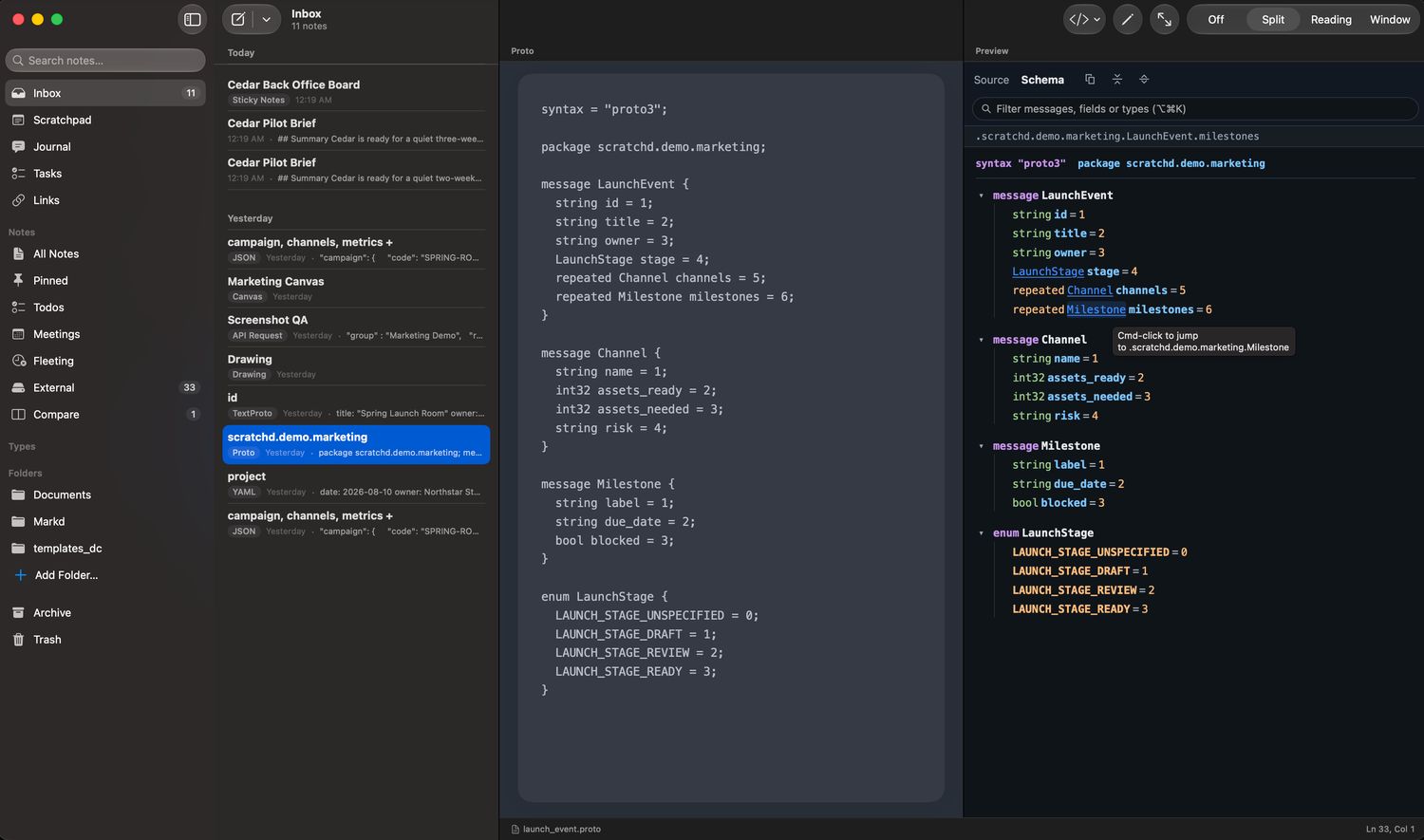
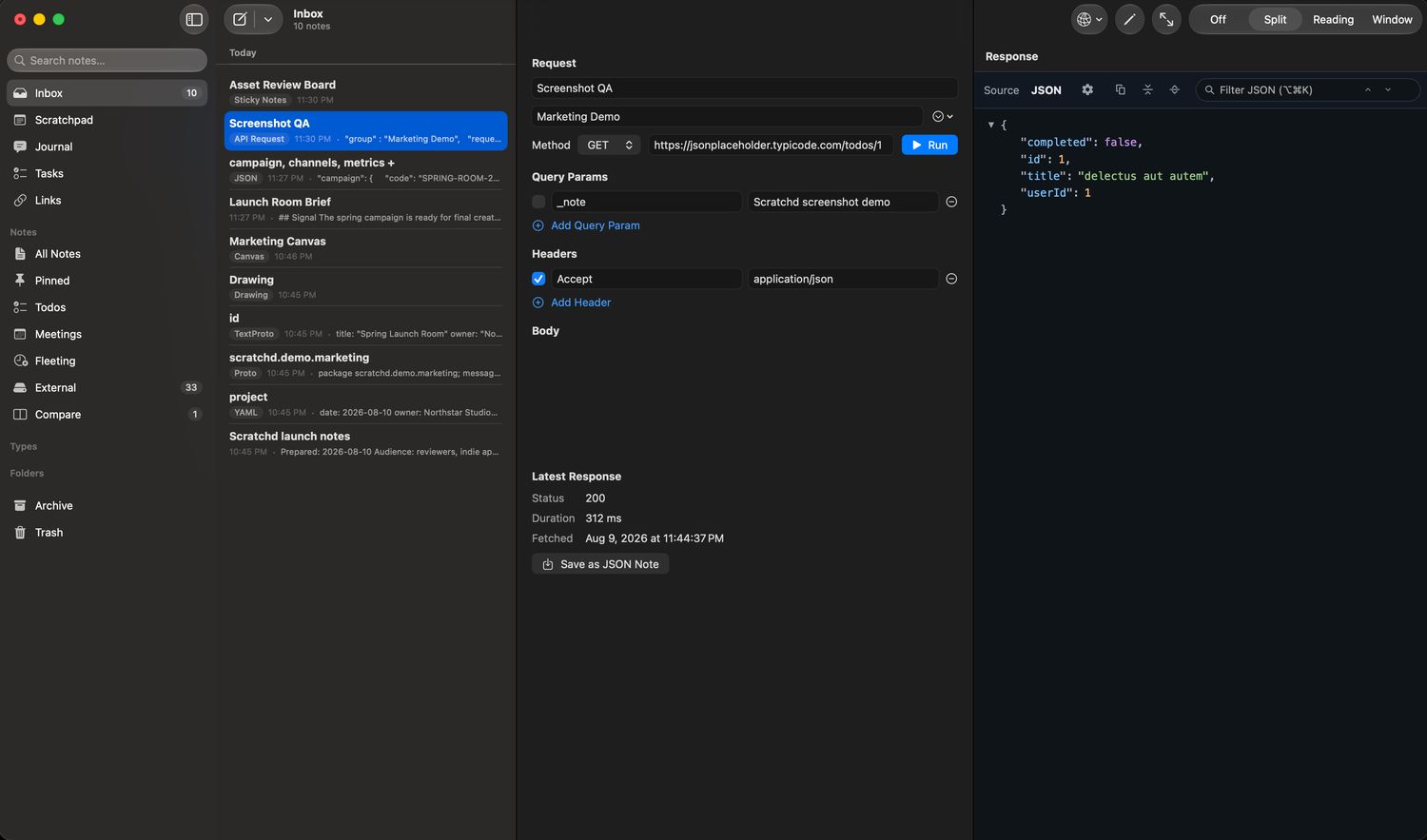
Paste a JSON payload and Scratchd renders it as a browsable tree. Open a .proto schema and you can jump from a field type to its definition. YAML, textproto, Mermaid diagrams and runnable API requests live in the same library as your written notes.

There are also sticky boards for arranging ideas next to each other, a canvas, and freehand drawing with Apple Pencil.

  • .md
  • .txt
  • .json
  • .yaml
  • .proto
  • .textproto
  • .api
  • .stickies
  • .canvas
  • .drawing
  • .jrnl
Markdown editor beside the live preview
Write. It’s already saved.
JSON source beside the rendered tree
JSON that reads like JSON.
Proto schema viewer with go‑to‑definition
Jump through your schemas.
API request beside its response
Run the request. Keep the response.
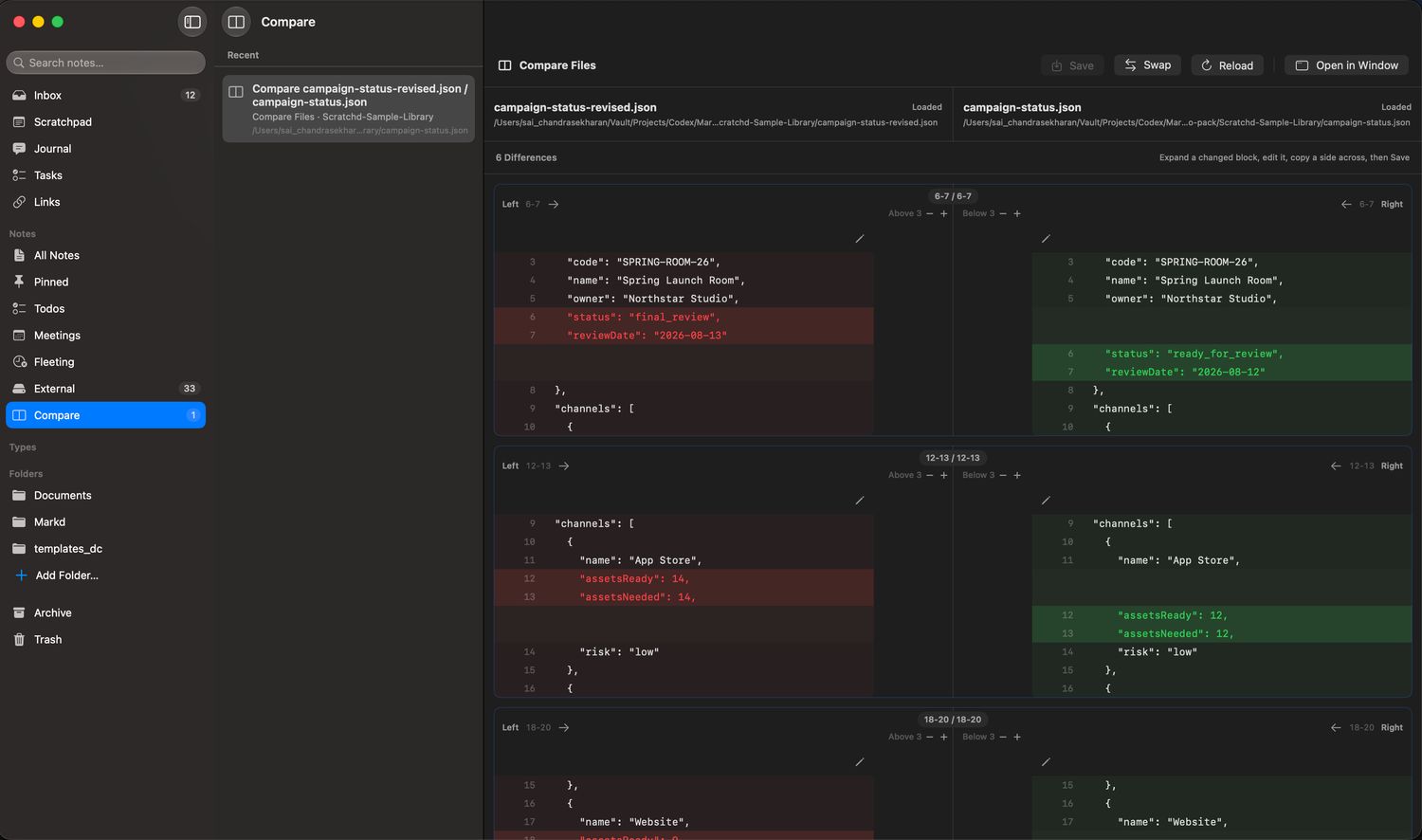
Two JSON files compared side by side
Diff without leaving.
Sticky note board
Room for the messy stage.

Tasks, links, journal

The other things you keep are files too.

Tasks live in tasks/, saved links in links/ and journal days in journal/, in the same library as your notes. Nothing is in a separate database, so the folder you back up holds all of it.

Tasks take plain English. Type “buy groceries by Friday #errands @Personal” and Scratchd works out the date and the list. There are checklists and sub‑lists, a Today view, an Evening flag, recurring tasks and a logbook of what you finished.

The journal has optional morning and evening prompts, a mood you tap in a second, focus areas you chose yourself, and photos. You can back‑date an entry to any day in the last month. Reminders are local, at times you set, and there are no streaks to keep up.

Watch & CarPlay

On your wrist, and in your car.

The Apple Watch app takes a note however your watch lets you enter text: Scribble, dictation, or the keyboard if your model has one. It shows a typed note back before sending it, so you can fix what Scribble misheard while you still remember what you meant. Voice notes and journal entries go from the wrist too. If your phone is out of range, anything you capture waits and retries.

Scratchd also appears in CarPlay. The note list reads at a glance with New at the top, and picking a note starts recording an addition to it rather than putting text on the screen. Anything you record is in your library by the time you park.

Read‑aloud is there if you want it, switched off to begin with. Turn it on and picking a note plays it back before you record. It uses the system voice. Needs iOS 26.4. Why.

Fleeting notes

Notes you can give an expiry date.

You can give a note an expiry date. When it arrives, Scratchd asks whether to keep it. Nothing is deleted without you.

Privacy

What leaves your device, and what does not.

Scratchd has no account and no sign‑up. It contains no analytics, no tracking and no third‑party SDKs.

Your notes are in your own folder. Innovatory does not run a server that stores them. Voice notes are processed on your device. The app makes network requests only for things you set up yourself, such as running an API request you wrote.

Scratchd does make outbound requests. All of them are either started by you or switched off until you turn them on. The privacy policy lists each one.

Version 10

This is version 10. It is the first one for sale.

Scratchd began as a plain Markdown editor. Version 2 added the scratchpad. Later versions added tasks, links, the journal, and the structured viewers for JSON, YAML and Protocol Buffers.

The first nine were used every day and never sold. The feature list reflects what got used over those years rather than what was planned.

  • 1  Markdown editor
  • 2  Scratchpad
  • … Tasks
  • … Links
  • … Journal
  • … Structured viewers
  • 10  For sale

Questions

Where are my notes stored?

In a folder you choose, as ordinary files. The default is a folder in your iCloud Drive, but you can point Scratchd anywhere — including a folder that stays on one machine. Open it in Finder or the Files app and the notes are just there.

Do I need an account?

No. There is nothing to sign up for, and no Scratchd account exists to make. Syncing, if you want it, is your own iCloud Drive doing the work — so it follows from where you put the folder. Choose a folder outside iCloud Drive and nothing syncs; the notes stay on that device.

What happens if I stop using Scratchd?

You keep the folder. Plain text, Markdown and structured files such as JSON, YAML, .proto and textproto still open in other apps.

Does it work with Obsidian, iA Writer, or my editor?

Yes. Point another app at the same folder. Scratchd notices changes made outside it and picks them up.

Is my voice recording uploaded?

No. Voice notes require on‑device speech recognition and Apple’s on‑device models, and if those are not available Scratchd declines rather than falling back to a server.

Is there AI in this?

Two features use Apple’s on‑device models: voice notes and the journal’s generated reflection. Both run on your device, on hardware and OS versions that support them, and neither is sent anywhere for processing. There is no chatbot.

Can I use it for code and config?

Yes, and that is much of why it exists. JSON, YAML, .proto and textproto get real previews, and .proto gets a schema viewer with go‑to‑definition.

What does it cost?

There are two apps. The Mac app is $4.99. The iPhone app is $4.99 and covers iPad and Apple Watch as well, so there is nothing further to buy for those. A bundle covering both at $8.99 is planned, and can only appear on the App Store once both apps are live. You buy it once — there is no subscription and no in‑app purchase.

Why does it say version 10 if it is new?

Because it is the tenth version. It is the first one that has been for sale. It started as a plain Markdown editor and gained a scratchpad, tasks, links, a journal and the structured viewers over the versions since.

What do I need to run it?

macOS 26, iOS 18, watchOS 11. Two features need more: CarPlay requires iOS 26.4, and voice notes plus the journal’s generated reflection require a device that supports Apple Intelligence.

  • macOS 26 or later
  • iOS / iPadOS 18 or later
  • watchOS 11 or later
  • CarPlay iOS 26.4 or later